Evidence: Documentation reviewed
Last checked: 5 October 2026
What was done: Plan names, prices and features were checked against each vendor’s own website. Not hands-on tested.
Files: None
Affiliate links: No
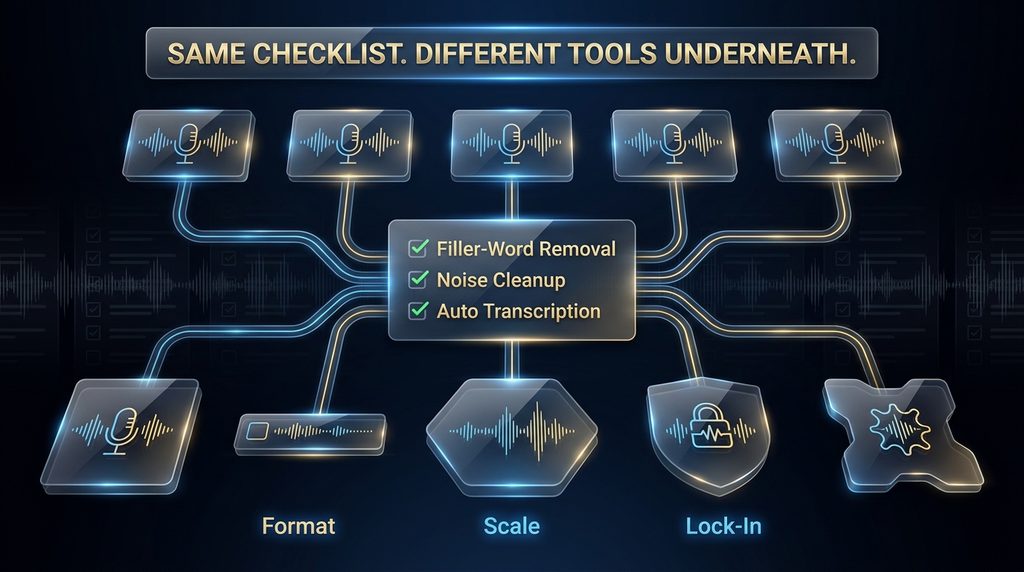
Every AI audio editor advertises roughly the same checklist: filler-word removal, noise cleanup and automatic transcription. The checklist does not tell you which of the best AI audio editors fits the show you make. This guide compares the current field of AI-powered audio editors on the conditions that separate them: what format of show you are producing, whether you are working solo or with a team, and how much you are locking yourself into a specific platform’s ecosystem.
Nine platforms are covered here, spanning transcript-first editors, remote-recording specialists, post-production-only layers, and classic multitrack DAWs with AI bolted on, deliberately more ground than most comparisons in this space cover, because the right answer changes completely depending on which of those categories your actual production falls into.
Disclosure: this article may contain affiliate links. If you sign up through one, AI Hustle World may earn a commission at no extra cost to you. Every recommendation here is based on documented features and published pricing, never on which program pays the most.
What This Article Covers
This piece compares full editing platforms, the software creators use to assemble, clean up, and finish an episode or recording, on workflow, collaboration, learning curve, and platform lock-in. It does not re-litigate which tool cleans noise best; our guide to cleaning background noise with AI and its Noise Triage framework already cover that comparison. It also is not the podcast-workflow guide’s step-by-step pipeline; this article evaluates editing platforms against each other as products, not as one stage in a larger process.
How Podcast Editing Got This Automated
Ten years ago, editing a podcast meant learning an actual digital audio workstation, understanding tracks, gain staging, crossfades, well enough not to introduce more problems than you solved. That skill floor was a real barrier, and it is a big part of why so many shows historically either sounded rough or never got past a handful of episodes.
Transcript-based editing, pioneered commercially by Descript, changed the interaction model entirely: instead of manipulating a waveform, you delete a sentence and the audio disappears with it. That is a genuinely different mental model, not just a faster version of the old one, and it is why Descript’s learning curve for basic edits is so much shallower than a traditional DAW’s.
Purpose-built spoken-word tools like Hindenburg took a different path: keep the multitrack waveform model traditional producers already understood, but automate the tedious parts, leveling, gain-matching between speakers. That used to eat the most time. Neither approach is strictly newer or better; they are different bets on which part of the old workflow was the bottleneck.
Why Every Tool’s Feature List Looks the Same
Open the marketing page for almost any AI audio editor released in the last two years and you will find the identical trio: automatic transcription, one-click filler-word removal, and AI-powered noise cleanup. That convergence is real. These features have become table stakes, not a differentiator, the same way our voice cloning comparison found realism had converged across the top cloning tools.
What the checklist does not show is what happens once your show does not match the demo reel. A clean, single-speaker interview is what every vendor demo uses, because it is the easiest case for any of these tools to handle well. A multi-voice produced show, a long-form video podcast, a spotty-internet remote guest, or a two-person editing team all stress a different part of the platform, and that is exactly where real differences between these tools show up.
The AI Hustle World Editor Fit Test
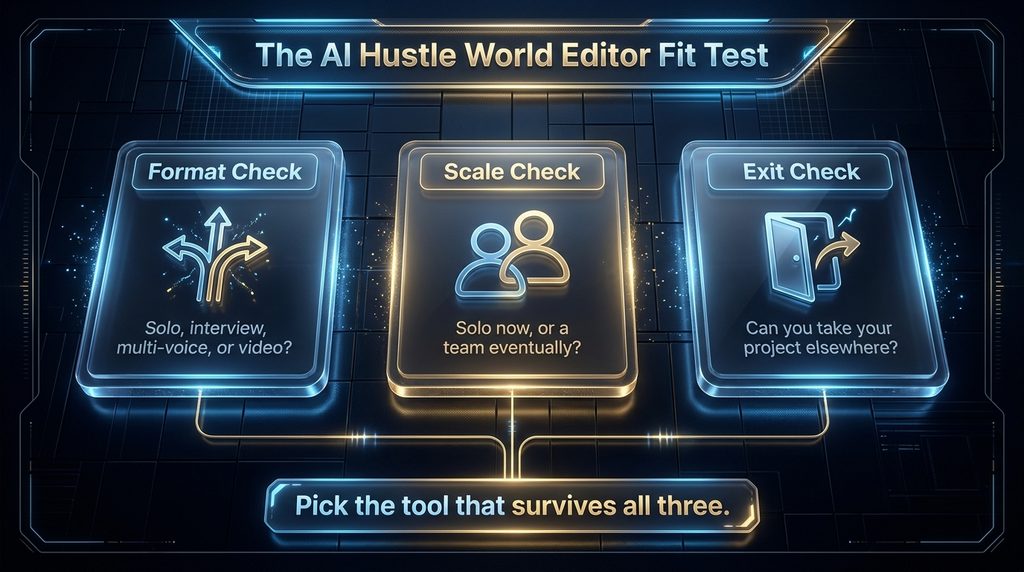
Before choosing a platform from the comparison below, run your actual production through three checks. We call this the Editor Fit Test, and it is built specifically to catch what a feature checklist cannot. The Format Check: is your show a solo monologue, a single-guest interview, a multi-voice produced piece with recurring segments, or video content?
Tools built around transcript-based editing shine on the first two and can feel like the wrong tool entirely for the third. The Scale Check: are you editing alone, or will a second person eventually need to comment, suggest changes, or edit alongside you? Real-time collaboration is a genuine strength in some tools and simply absent in others, and it matters far more once a second person is involved than it does for a solo creator.
The Exit Check: if you needed to leave this platform in a year, could you take your project with you cleanly? Some tools export to standard, portable formats; others keep your edit history and structure locked inside a proprietary project file that does not transfer easily to a different editor or a professional you might hire later.
| Check | Question | If it fails |
|---|---|---|
| Format | Solo, interview, multi-voice, or video? | The tool fights your format instead of fitting it |
| Scale | Solo now, or a team eventually? | Collaboration becomes a bottleneck once a second person joins |
| Exit | Can you take your project elsewhere? | You are locked into a platform that stops fitting your needs |
The Editors, Compared
A note on how this comparison was built: plan names, prices and features come from each vendor’s own website, checked on 5 October 2026. None of these tools was hands-on tested for this article. Treat every price as a snapshot and reconfirm it before you subscribe. Descript is built around a different editing model: you edit the transcript, and the audio or video follows. There is a free plan.
Paid plans are Hobbyist at $16 per month, Creator at $24 and Business at $50 per person, all billed annually; monthly billing costs more (Descript pricing). Its headline AI tools are Studio Sound for noise and room cleanup, Remove Filler Words, Remove Retakes for duplicate takes, and AI Speech, which uses a voice clone to regenerate a flubbed word from typed text.
For teams specifically, real-time collaboration means multiple people can comment, suggest edits, and work on the same project simultaneously rather than passing files back and forth by email, a workflow improvement that matters more the moment a second editor or producer enters the picture, echoing the Scale Check this guide builds around.
Descript also leans hardest into repurposing of any tool in this comparison: the same project that produces a finished episode can generate social clips and a rough draft of show notes without leaving the app, which matters for solo creators trying to get more than one piece of content out of a single recording session.
It is the most natural fit for solo creators and interview shows that want to skip timeline editing, and for small teams that need to comment and edit together. Transcript-based editing generally gets harder with overlapping or multi-speaker dialogue, so test it on your own material. Descript’s plans also include monthly allowances of media hours and AI credits, with paid top-ups available, so a heavy user can pay more than the base plan price.
Check the allowances on the plan you are considering. Riverside pairs remote recording with AI editing. There is a free plan; Pro is $24 per month billed annually ($29 monthly) and Grow is $34 ($39 monthly) (Riverside pricing). Each participant is recorded locally, which protects quality when a guest’s connection is poor, and the platform adds transcript-based editing and AI cleanup tools.
That local-recording architecture is Riverside’s real differentiator, not the AI editing layer on top of it. Any transcript-based editor in this comparison can clean up and edit a recording, but only a few address the underlying problem of a remote guest’s unstable connection damaging the source audio. Adobe Podcast is a browser-based tool centred on Enhance Speech, which removes background noise and echo from voice recordings.
It also offers Studio for transcript-based editing, remote recording with a separate track per guest, captions and music removal. Check Adobe’s site for current free limits and pricing. That distinction matters for how to use Adobe Podcast well: treat it as the free first-pass cleanup step in a pipeline that finishes somewhere else, the way our noise cleanup and podcast workflow guides both frame it, rather than expecting it to replace a dedicated editor on its own.
Cleanvoice AI is a post-production layer rather than a recorder or full editor: you drop in a file recorded elsewhere (Audacity, Reaper, Audition) and it strips filler words, mouth clicks, stutters, and long silences automatically. Plans start at about €10 per month for 10 hours of processed audio, and the hourly rate drops on larger plans (Cleanvoice pricing).
Auphonic takes a similar post-production-layer approach but focuses specifically on audio: automated, single-pass adaptive leveling, noise reduction, and loudness normalization. It is free for 2 hours of processed audio per month (Auphonic pricing). Podcastle offers browser-based recording plus AI cleanup, including its Magic Dust enhancement feature, and filler-word removal.
It has a free plan and paid Essentials, Pro and Teams plans; check its pricing page for current rates. Gling focuses on automatically removing pauses, silences and filler words, and is aimed mainly at video creators. It has a free tier with 1 hour of AI editing; Plus is $10 per month billed annually ($20 monthly) for 10 hours (Gling pricing).
Hindenburg PRO takes the most different approach in this comparison: spoken-word audio editing software built for journalists and podcast producers, covering recording, transcription, editing, mixing and publishing, with automated leveling built in. Its Clipboard panel is designed for keeping recurring elements such as intros, outros and segments organised across a multi-voice production.
The tool has a longer institutional history than most names in this comparison, having been built specifically for radio journalists and field-audio work rather than emerging from the recent wave of AI-first creator tools, which shows up in its interface philosophy as much as its feature set: fewer automated shortcuts, more direct manual control over exactly what gets cut and how tracks are arranged.
Classic DAWs with AI features layered on, Adobe Audition, Reaper, and Audacity (extensible via third-party AI plugins), round out the field for creators who want full manual control and do not mind a steeper learning curve than any of the AI-first tools above require.
Worth noting across the post-production-layer tools specifically (Cleanvoice, Auphonic): none of them record audio or offer a real editing timeline at all. They are a processing step you run a finished recording through, which makes them cheap and fast to add to an existing workflow but useless on their own if you have not recorded anything yet. Pair one with whatever you already use to record, not instead of it.
What This Actually Costs
Subscription pricing across the platforms in this comparison runs from free tiers to about $10–50 a month per person on annual billing. The alternative is paying a freelance editor per episode, which for a weekly show can cost considerably more per month.
Put concretely: a weekly show paying $150 per episode for full editing spends roughly $600 a month on that single line item. A $24/month platform subscription does not just undercut that on price. It removes the multi-day turnaround of sending a file out and waiting, which matters as much as the dollar figure for a show publishing on a fixed schedule.
Common Mistakes to Avoid
Picking a tool from its AI-feature checklist without testing export flexibility is the most common mistake, Descript’s project format and Riverside’s cloud-based workflow both create a real switching cost if you later want to move to a different tool or hand files to a professional editor. Underestimating the learning curve on a tool marketed as simple is a close second: basic editing in these tools is easy, but deeper features like voice cloning or advanced audio manipulation still take real time to learn well.
Expecting one all-in-one platform to cover the entire production chain is a third: recording, cleanup, editing, voice generation, clips, and show notes are separate jobs, and the strongest real-world setups tend to pair one core platform with one specialist tool rather than asking a single app to do everything.
Ignoring collaboration features because you are currently solo is a fourth: real-time commenting and simultaneous editing matter far more the moment a second editor or producer joins, and retrofitting that need onto a tool that never supported it well is a painful, avoidable migration. Assuming transcript-based editing works equally well on multi-speaker or heavily-accented audio is a fifth. This is a known weak point of transcript-based editing generally, not a flaw unique to one product.
Judging a tool only by its easiest episode is a sixth: problems on long-form or video projects will not show up in a quick trial on a short, simple audio-only episode. Forgetting that pricing tiers gate features differently across tools is a seventh: Descript’s AI-credit system, Cleanvoice’s hourly tiers, and Riverside’s plan tiers all mean the advertised entry price rarely reflects what a heavy real-world user pays month to month.
Who Should Use Which Editor
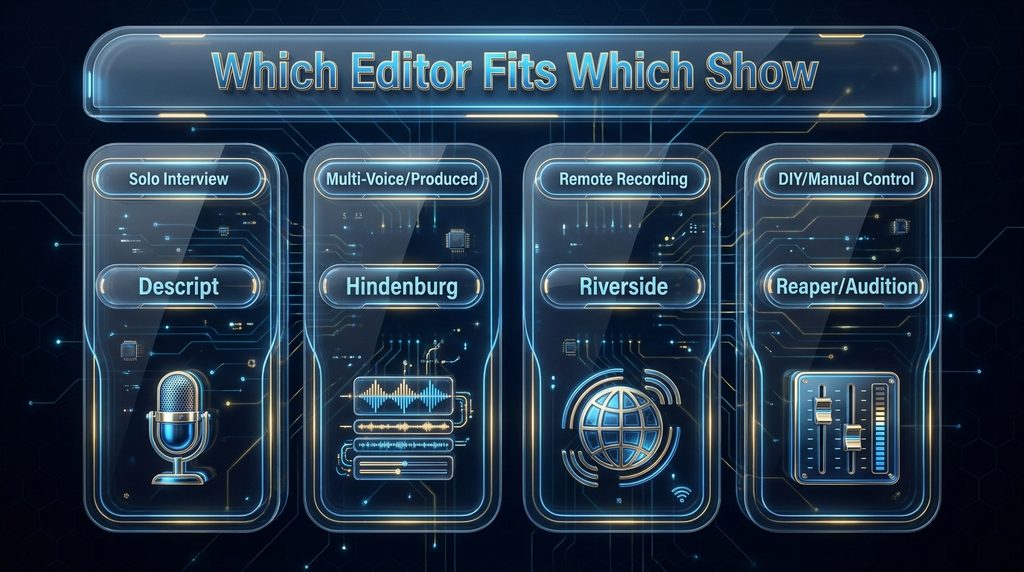
If you are a solo creator running a single-guest interview show and want the lowest learning curve, Descript’s transcript-based editing is still the strongest starting point, provided you test it on your actual longest episode before committing. If you are producing a multi-voice, segment-heavy show, recurring intros, outros, multiple recorded voices, Hindenburg’s Clipboard-centered workflow is worth serious consideration even though it has a steeper learning curve than the transcript-editing tools.
If your priority is remote recording quality with guests on unreliable connections, Riverside’s local-recording-per-guest architecture solves a problem none of the post-production-only tools even attempt to address. If you already record elsewhere and just want the cleanup pass automated, Cleanvoice or Auphonic are better fits than a full editing suite you would only use for one feature.
If you are scaling from a solo operation to a small team, weight the Scale Check heavily: Descript’s real-time collaboration is a genuine advantage here that several of the single-user-focused tools in this comparison do not offer at all. If your show represents a brand or a regulated business rather than a personal project, treat audio quality and consistency as a credibility question, not just a convenience one, which may justify a higher-tier plan or professional oversight regardless of which tool you pick.
If you are not sure which category you fall into yet, start with whichever tool has the shortest commitment: most of the platforms compared here offer a free tier or a short trial specifically so you can run the Format Check on your own material before paying for a year upfront.
Why Some Producers Still Use Classic DAWs
None of this makes Reaper, Audition, or plain Audacity obsolete, and the reason connects directly to the Format and Exit checks above. A classic multitrack DAW gives a producer complete manual control over every edit decision, with no AI model making an automated judgment call about what counts as a filler word or a retake worth removing.
That control matters most exactly where the stakes are highest, a documentary-style production with dozens of tracks, a legally sensitive interview where an automated cut could change meaning, or a producer whose entire value is a specific, idiosyncratic editing style no automated tool replicates.
The realistic pattern mirrors the pattern in music, narration, and podcast production generally: AI-first tools absorb the high-volume, straightforward editing work, while producers who need full manual control, or whose show does not fit any AI tool’s sweet spot, keep reaching for the DAWs that give them that control.
There is also a simpler, less romantic reason some producers stay on classic tools: muscle memory. Someone who has spent a decade inside Reaper’s keyboard shortcuts and routing has real, transferable expertise that does not carry over to a transcript-based tool’s very different interaction model, and relearning an entire workflow has a real cost even when the new tool is objectively faster for someone starting fresh.
What Still Goes Wrong
Transcription accuracy drops on multi-speaker, overlapping, or heavily-accented audio across every transcript-based editor in this comparison, not just one, a structural limitation of the underlying approach, not a bug in any single product. Feature bloat is a risk on any platform that keeps adding AI features: more automated capability does not always mean a smoother experience.
Rendering and export times can grow on longer projects, so it is worth explicitly testing your typical episode length, not a five-minute sample, before trusting a platform with a real production schedule. Platform lock-in is easy to underestimate until you need to leave: a proprietary project format that does not export cleanly can turn a routine tool switch into a full re-edit from raw audio.
What Happens If You Pick the Wrong Tool
Picking a tool that does not match your format does not usually show up immediately. It shows up three months in, when a multi-voice special episode takes twice as long as a normal one because you are fighting a transcript-editing workflow that was never built for it.
The compounding version of that mistake is worse: a team that outgrows a solo-focused tool without switching loses real time to workarounds, emailing files back and forth, manually merging feedback. That a tool with real collaboration features would have handled natively from day one.
How to Know If It is Actually Working
Track total editing time per episode over your first month on a new tool, not just your impression from the first easy episode: the real test is what happens on your hardest, longest, or most complex piece, not your simplest one. Run your own accent, your own overlapping-dialogue moments, and your own multi-voice structure through a trial before committing annually: vendor demos are chosen specifically to avoid exactly these edge cases.
If you are on a team, track how often work gets duplicated or lost between editors as a direct signal of whether the platform’s collaboration features are solving the Scale Check or just papering over it. Revisit the Exit Check periodically, not just before you sign up: export a real project partway through your subscription and confirm it still opens cleanly elsewhere, since a platform update can change file compatibility without much warning, and the worst time to discover a lock-in problem is during an actual deadline.
Keep a short log of every tool switch you make and why, if you end up making more than one: over a year, that log becomes the clearest evidence of whether your production setup is genuinely stable or quietly churning through tools without ever fixing the underlying Format or Scale mismatch causing the switching.
What is Next
The clearest trend to watch is platforms racing to add each other’s strengths: transcript-editing tools are adding better remote-recording support, and remote-recording-first tools are adding deeper transcript-based editing, which should narrow some of the format-specific gaps this guide describes over time.
Watch specifically for consolidation between the recording-first and editing-first camps: a platform that solves both Riverside’s remote-recording-quality problem and Descript’s transcript-editing convenience in one product would eliminate a real portion of the Format Check this guide describes, and several of the platforms compared here are visibly moving in that direction already.
A second-order effect worth watching is on freelance audio editors specifically, the same pattern seen in noise cleanup, music, and podcast production: editors who differentiate on judgment, structural sense, and handling exactly the multi-voice or brand-critical work AI tools still struggle with are likely to hold their value better than editors competing purely on doing the mechanical cleanup pass faster.
A third is the AI feature bloat problem itself potentially becoming a genuine differentiator: as more platforms pile on features, expect at least one competitor to market itself specifically on doing fewer things reliably rather than everything adequately.
A fourth, quieter effect is on listener expectations broadly: as automated cleanup and leveling become the default rather than the exception, the baseline for “acceptable” audio quality keeps rising industry-wide, which makes a genuinely rough, unedited recording stand out as a negative signal far more than it would have a few years ago.
Final Thoughts
There is no single best AI audio editor. The right one depends on the show you are making, how many people edit it and how easily you can leave. That is the actual decision this guide is built to support. Every platform compared here does the checklist well enough. The Editor Fit Test, format, scale, exit, is what tells you which one survives contact with the show you are making, not the one in the demo reel.
Editing Is Only One Piece of the Pipeline
See how cleanup, narration, music and editing all fit into the same production loop — and which stages actually need a human checkpoint before you publish.
See the Full Podcast Production Loop →Frequently Asked Questions
What is the best AI audio editor for podcasters in 2026? It depends on your format: Descript is the most natural starting point for solo interview shows, Riverside for remote recording with unreliable guest connections, and Hindenburg PRO for multi-voice, segment-heavy productions.
What is the difference between Descript and Auphonic? Descript is a full editing suite built around transcript-based editing for audio and video. Auphonic is a focused, audio-only automated post-production layer for leveling and cleanup, and the better fit when your workflow does not involve video.
Why would anyone use Hindenburg instead of an AI-first tool like Descript? Hindenburg’s multitrack, waveform-based approach and its Clipboard feature for managing recurring segments suit multi-voice, structured productions. Transcript-based editors are built more around single-speaker or interview content.
How much does AI podcast editing software cost? Most platforms in this comparison have a free tier and paid plans from about $10 to $50 a month per person on annual billing. Prices were checked on vendor sites on 5 October 2026 and change often.
Can AI audio editors handle multiple speakers well? Less reliably than single-speaker content. Transcription accuracy tends to drop on overlapping dialogue, which is part of why multitrack tools like Hindenburg remain popular for multi-voice shows.
What should I check before committing to an AI editing platform? Run the Editor Fit Test: confirm the tool matches your actual format, check whether its collaboration features fit your team size now and later, and verify you can export your work in a format that is not locked to that one platform.
Do AI audio editors replace professional audio editors? They absorb the routine, mechanical editing work more than they replace professional judgment. Editors who handle multi-voice structure, brand-critical work and the edge cases AI tools still struggle with are likely to keep their value.
Is it worth paying for a higher tier for a brand or business podcast? Often yes. For a firm, audio quality is a brand-credibility question, not just a convenience one, which can justify a higher tier or added human oversight even when a cheaper plan covers the basic features.
What is the biggest risk in choosing an AI audio editor? Platform lock-in you do not notice until you need to leave. A proprietary project format that does not export cleanly can turn a routine switch into a full re-edit from raw audio, which is what the Exit Check is meant to catch.
Sources checked on 5 October 2026
- Descript pricing
- Riverside pricing
- Adobe Podcast
- Cleanvoice pricing
- Auphonic pricing
- Podcastle pricing
- Gling pricing
- Hindenburg
Related Guides
- Repurpose Podcasts Into Short-Form Content With AI
- Best AI Voice Generators in 2026
- ElevenLabs vs Alternatives: Which AI Voice Tool Is Best for You?
Written by
Muntasir Ahmad Chowdhury
Founder, AI Hustle World
Muntasir Ahmad Chowdhury is the Founder of AI Hustle World, an independent publication dedicated to making Artificial Intelligence practical, trustworthy, and easy to understand. He researches AI tools, automation, customer service, productivity, and real-world business applications, helping readers make smarter technology decisions through research-driven, experience-backed content.
Expertise:
AI Tools • AI Automation • AI Customer Service • AI Productivity • Generative AI • AI Workflows
Join the AHW Test Log
One email when a new test or guide is published. It says what was checked and links to the sources. Plus Apex Daily OS, a free planner, in your welcome email.