
AI Video Clipping Tools: What They Actually Cost Per Minute (2026 Pricing Compared)
Editorial note: This comparison is based on official pricing pages, help-center documentation and public product pages reviewed on September 20, 2026. AI Hustle World did not conduct controlled hands-on tests of clip quality, transcription accuracy, or output performance for this article. Where this article references first-hand product experience, it is explicitly labeled; every other claim is sourced to the vendor’s own current documentation.
A creator who has already decided they need a dedicated clipping tool does not need one more article ranking platforms by feature checklists. They need to know what the tool will actually cost once real source video gets uploaded, credits get consumed, and a renewal date arrives.
That question is harder to answer than it should be. Five of the most recommended AI clipping platforms price themselves in five different currencies of complexity: minutes, credits, finished clips, regional variables, and in one case, a number the company does not publish at all.
This article owns one job: taking each platform’s own published pricing and converting it into a single comparable unit, wherever the public information allows that conversion to be done honestly. It does not rank these tools by editing quality, caption accuracy, or clip-selection intelligence, because AI Hustle World has not run controlled first-hand tests of those dimensions for this comparison.
What it will tell you, precisely, is where the real math can be done, where it cannot, and why the difference matters more than any vendor’s marketing page will admit.
What This Article Owns and What It Does Not
This article owns the pricing-transparency problem inside AI video clipping tools: how each platform’s credit system, plan structure, and public disclosure translate into a dollar figure per finished minute of usable output. It draws that analysis entirely from primary sources, each vendor’s own pricing page and help documentation, checked on the date stated above.
Every calculation below shows its work, so it can be verified or challenged by anyone, including a competing publisher or the vendors themselves.
It does not own a verdict on which tool produces the best clips. AI Hustle World’s companion article on content repurposing platforms already evaluates OpusClip, Quso.ai, Descript, Riverside, Castmagic, Repurpose.io, Pictory, and Munch Studio using the site’s Decision-Fit Score.
That remains the right resource for choosing a platform’s feature set.
This article is deliberately narrower. It assumes you have already decided that dedicated clip extraction is the function you need, and it answers the question that comes immediately after: what will this actually cost me, in a unit I can compare across vendors without falling for a headline number.
The distinction matters because pricing comparison and capability comparison require different evidence. A capability comparison can reasonably draw on documented features and vendor claims tempered with skepticism. A cost comparison cannot do the same, because a dollar figure either traces to a real, dated, public number, or it does not exist yet.
This article holds itself to the second standard throughout. That is why several of the platforms below will not receive a cost-per-minute figure at all. Manufacturing one would be more convenient for readability, and less honest about what the research actually supports.
The Real Problem Is Not the Price Tag. It Is the Unit Behind It.
Ask five clipping-tool vendors “how much does this cost,” and you get five different kinds of answer. Each has built its pricing around a different unit of value.
OpusClip and Vizard both use credit systems, but Vizard states plainly that one credit equals one minute of source video. OpusClip’s documentation does not commit to a single fixed conversion rate across every feature its credits can be spent on.
Klap prices by the number of finished clips a plan includes per month, which has no fixed relationship to how many minutes of source footage produced those clips. Submagic prices by credits converted into a capped number of short videos at a fixed maximum length. CapCut, according to its own help center, prices Pro access differently depending on the buyer’s region, device, and whatever promotion is active at the time.
None of these approaches is inherently dishonest. A per-clip price is a reasonable way to sell to a customer who thinks in terms of “I need twenty short videos a month” rather than “I have four hours of raw footage.”
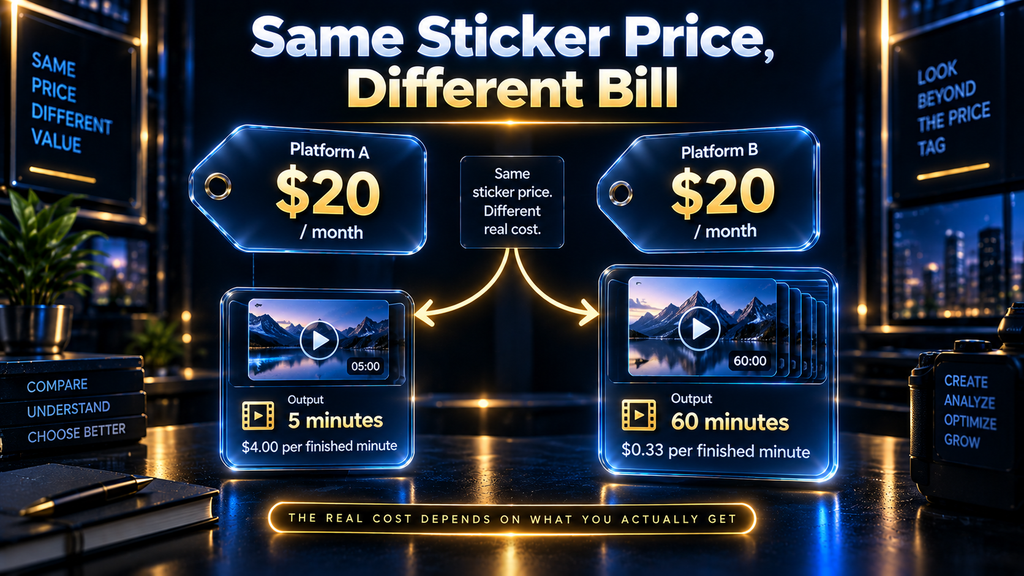
The problem is not that these units differ. The problem is that most buyers compare sticker prices across vendors as though the units were interchangeable, and they are not. A $14 plan measured in clips and a $19 plan measured in source-video credits are not more or less expensive than each other until you know how many minutes of your actual footage each one will process.
That is precisely the information a feature-comparison table never surfaces. It is also why a simple “cheapest option” answer would be irresponsible to give.
The honest starting point is not a ranking. It is a shared unit of measurement, applied consistently, with the platforms that cannot support that unit clearly labeled as such rather than quietly assigned an estimated number.
The AI Hustle World Decision-Fit Score, Applied to Pricing Transparency
AI Hustle World’s Decision-Fit Score is the site’s reusable, weighted framework for evaluating how convincingly a platform’s documented capabilities fit its intended job. It was first introduced in the site’s broader content-repurposing comparison.
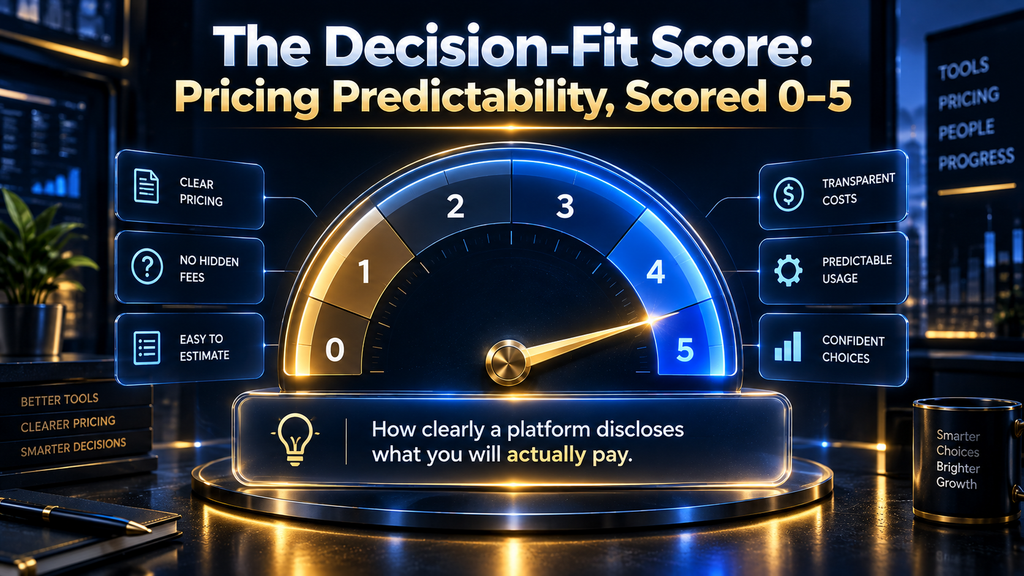
Rather than invent a second, competing scoring system for this narrower question, this article applies the same framework’s logic to one dimension the original comparison touched only briefly: Pricing Predictability, defined there as “whether costs, credits, limits and plan boundaries are understandable.” The scale runs zero to five, where five indicates extensive, unambiguous public documentation and zero indicates that sufficient evidence was not found.
Vizard scores a 3. Its credit-to-minute conversion rate is publicly and clearly stated, but its actual dollar prices render as placeholder values on its own live pricing page rather than fixed figures. That caps how far transparency can go without a real number attached.
Submagic scores a 5. Every input needed to calculate a real cost-per-minute figure is published without ambiguity.
OpusClip scores a 2. Its credit allowances are public, but the conversion rate between credits and specific actions is not confirmed as fixed across every feature.
Klap scores a 2. Its plan prices and clip allowances are public, but the unit itself, clips rather than minutes, cannot be converted to a source-video cost without an assumption this research will not fabricate.
CapCut scores a 1. Its own help documentation confirms that Pro pricing is not a fixed, universal figure at all.
Reusing the Decision-Fit Score’s methodology here, rather than inventing an unrelated system, is deliberate. A reader who has encountered the framework in AI Hustle World’s other comparisons should recognize the same evaluation logic applied to a new, narrower question.
That consistency is the entire purpose of a signature framework: something a reader learns to trust across articles, not a new invention every time a new angle is needed.
The AI Hustle World Clip-Pricing Comparison Table
| Tool | Entry paid plan | Pricing unit | Free tier | Calculable cost-per-minute? | Pricing Predictability score |
|---|---|---|---|---|---|
| Vizard | Paid price not fixed; free plan is $0/mo | Credits, 1 credit = 1 minute (disclosed rate) | 60 credits/mo, 720p, watermarked, 3-day export storage | No — rate is clear, price is not | 3/5 |
| Submagic | $19/mo (Starter) | Credits: 45 = 15 videos, 2-min cap per video | None | Yes — approx. $0.63/min at full utilization | 5/5 |
| OpusClip | $15/mo (Starter, 150 credits) | Credits; conversion rate not fixed across features | 60 credits/mo, 1080p, watermarked, exports expire in 3 days | No — feature-dependent conversion undisclosed | 2/5 |
| Klap | $14/mo (Basic, billed yearly) | Per finished clip: 100 clips/mo | Not disclosed | No — clip yield per source minute varies by content | 2/5 |
| CapCut | Not published as a fixed figure | Varies by region, device, promotion | Free tier exists; export limits apply | No — no universal price exists to calculate from | 1/5 |
This table is the reference point for every calculation in the sections that follow. Where a column reads “No,” that is a documented finding about the platform’s public pricing, not an omission in this research.
How We Researched and Verified This Comparison
Every figure in this article comes from each vendor’s own official pricing page or help-center documentation, accessed directly and reviewed on September 20, 2026. No third-party pricing summaries, cached snapshots, or affiliate roundups were used as a source for any dollar figure or credit allowance quoted here.
Vizard’s live pricing page was checked directly in-browser, not through a text-only fetch, specifically to confirm whether its displayed “$0$0” placeholder was a rendering artifact of the request method or a genuine feature of the page. It was confirmed genuine on the live, rendered page itself.
Where a platform’s documentation did not clearly state a conversion rate, such as OpusClip’s credit-to-feature ratio, this article did not estimate one. The gap is reported as a finding rather than filled with an assumption, per AI Hustle World’s Citation Integrity Rule.
The one calculation in this article that required an assumption, translating Klap’s hourly clip yield in the worked example, is explicitly labeled as an assumption in the text itself, not presented as a researched figure. No first-hand testing of clip output quality, transcription accuracy, or editing performance was conducted for this article, and no claim in this article should be read as implying otherwise.
What this methodology cannot verify: currency and pricing shown to any individual reader can vary by region, device, account history, and active promotions, exactly as CapCut’s own documentation states. Every figure here reflects what was publicly visible during this review and should be reconfirmed on each vendor’s page before a purchasing decision.
Working Through the Math: Where a Real Cost-Per-Minute Figure Exists
Vizard
Vizard’s pricing page states its conversion rate directly: one credit equals one minute of video. On the free plan, that gives a subscriber 60 minutes of source-video processing per month at no cost, capped at 720p resolution with a visible watermark and a three-day storage window before exports expire.
That conversion rate is the clearest piece of pricing logic disclosed by any platform in this comparison. A creator can look at their monthly footage volume and know immediately how many credits they will consume, independent of which paid tier they eventually choose.
Where the calculation breaks down is the paid tier’s actual price. Vizard’s live pricing page, checked directly rather than through a cached or third-party summary, displays its Creator and Business plans with a literal “$0$0” placeholder beside “50% OFF” messaging and a credits-per-year range. No static dollar figure renders in the page’s content.
This is not a case of the information being hard to find. It is a case of the page not containing a fixed number at the time of this review. A reader following this article to Vizard’s own pricing page should expect a price calculated dynamically, likely by region or currency detection, rather than one global figure this article could responsibly quote as fixed.
The credit-to-minute ratio is real and reusable. The dollar cost per minute is not calculable from public information as of this review.
Submagic
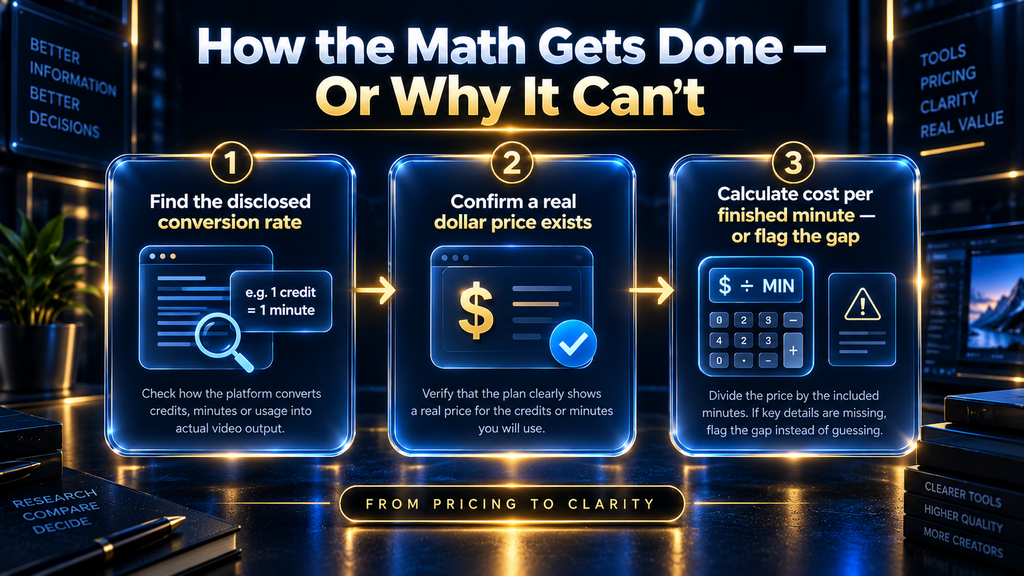
Submagic is the only platform in this comparison where every number needed for a real calculation is published without ambiguity. Its Starter plan costs $19 per month for 45 credits, which its pricing page states covers 15 videos, with each video capped at two minutes.
If a subscriber uses the full monthly allowance at the maximum permitted length on every video, that works out to 30 minutes of finished exported content for $19. That is approximately $0.63 per finished minute at full utilization.
That figure comes with a real caveat worth stating plainly: it assumes every video hits the two-minute ceiling. A creator producing fifteen-second highlight clips instead still pays the same $19 for the same 15-video allowance, which pushes their effective cost per finished minute well above $0.63.
The headline per-minute figure is real and verifiable, but it describes a best-case scenario for cost efficiency, not a typical one. A buyer should calculate their own expected clip length against this ceiling before treating $0.63 as the number that will show up on their invoice.
Where the Math Cannot Be Done Honestly, and Why That Itself Is a Finding
OpusClip
OpusClip’s Starter plan offers 150 credits for $15 per month, and its documentation is clear about credit allowances at each tier. What it does not confirm is a single, fixed conversion rate between one credit and one unit of output across every feature the platform offers.
Its own material indicates that credits are consumed differently depending on whether a user applies B-roll insertion, voice dubbing, or speech enhancement on top of basic clip generation. The same 150 credits could produce a different number of finished minutes depending entirely on which features a subscriber turns on.
Publishing a single cost-per-minute number for OpusClip would require this article to invent an assumed feature-usage pattern that OpusClip itself has not standardized. That would not be a useful benchmark; it would be a fabricated statistic wearing the appearance of one.
The honest finding is narrower but still useful: OpusClip’s entry-level pricing is competitive on its face, but a buyer cannot know their real per-minute cost until they know which enhancement features they intend to use regularly. OpusClip’s own pricing page does not make that dependency visible upfront.
Klap
Klap prices its Basic plan at $14 per month for 100 clips, its Pro plan at $39 for 300 clips, and its Pro+ tier at $94 for 1,000 clips, all billed yearly by default. Every one of those numbers is real and verifiable.
None of them can be converted into a cost-per-source-minute figure, because Klap’s unit is the finished clip, not the minute of uploaded footage. There is no fixed ratio between the two that holds across different kinds of source content.
A ninety-minute podcast might reasonably yield fifteen strong clips or forty, depending on how conversational and quotable the recording is. A twelve-minute product demo might yield three clips or none.
Any number this article supplied to bridge Klap’s per-clip pricing to a per-minute figure would be an assumption about content density that has nothing to do with Klap’s actual pricing. That may suit a buyer who thinks in terms of monthly content-output targets rather than footage volume, but it is not a model this comparison can honestly translate into the same unit as Vizard’s or Submagic’s.
CapCut
CapCut’s own help-center article addressing Pro pricing states outright that cost “can vary depending on your region, device, and available promotions.” It directs users to check pricing only inside the logged-in app or account interface, not on a public page.
There is no universal figure published anywhere in CapCut’s own documentation that this article could cite as the price, let alone convert into a per-minute cost. Any article claiming a fixed CapCut price is either presenting one regional or promotional snapshot as universal, or estimating a number the company has chosen not to disclose.
AI Hustle World’s editorial position is that the second option is a form of fabrication, and the first option misleads readers outside whichever region the writer happened to check. This is a finding about CapCut’s pricing structure, not a gap in this research.
A buyer evaluating CapCut for this use case should expect a real number only after opening the app with their actual account and region.
A Worked Example: The Same Ten Hours of Footage, Five Different Bills
Abstract math is easy to nod along with and hard to apply. It helps to run one consistent scenario through all five platforms: a small marketing team recording ten hours of client webinars and interviews each month, a realistic mid-volume workload for a team serving two or three clients.
On Vizard, ten hours of footage is 600 minutes, consuming 600 credits at the platform’s disclosed one-credit-per-minute rate. That exceeds the free plan’s 60-credit allowance tenfold, meaning this team needs a paid tier regardless of price. This article cannot state what that tier costs, because Vizard’s own pricing page does not display a fixed figure for it.
The team knows exactly how many credits they need. They cannot know, from public information, what those credits will cost them.
On Submagic, the same ten hours cannot be uploaded as raw footage under the Starter plan’s two-minute-per-video cap. The team would need to pre-segment their footage themselves, using 45 credits across 15 two-minute videos for $19, covering only 30 of their 600 minutes.
Reaching their full volume would require roughly twenty times the Starter allowance. At that point, the team should evaluate Submagic’s higher tiers rather than assume the $19 entry price scales linearly, since this research did not confirm exact per-minute pricing beyond the Pro and Business tier costs already cited.
On Klap, the ten hours of source footage is not the relevant number. What matters is how many finished clips the team expects to produce from it.
If their editorial standard yields roughly three strong clips per hour, an assumption this article is stating explicitly as an assumption rather than a researched figure, that is 30 clips against the Basic plan’s 100-clip allowance, comfortably within the $14 tier. A more aggressive standard, more than ten clips per hour (over 100 clips from ten hours), would exceed that allowance and require the $39 Pro tier instead.
On OpusClip and CapCut, this worked example cannot be completed with the same confidence. OpusClip’s per-feature credit consumption is not fixed publicly, and CapCut’s pricing depends on account-level factors this research cannot see.
A team evaluating either platform would need to run an actual trial month and track real consumption, rather than relying on any published comparison to predict the bill.
This worked example is the clearest illustration of the article’s central finding. Two of five platforms let a buyer calculate their real monthly cost in advance with reasonable confidence. Two require an explicitly stated assumption the vendor’s own pricing does not resolve. One requires opening an account before a real number exists at all.
The Hidden Costs a Credit Count Never Shows
A platform’s advertised credit allowance is the beginning of its real cost, not the end. Four factors consistently change what a plan delivers in practice, and none appear in a simple features-and-credits table.
Export expiry turns unused credits into lost work, not just lost money. Both OpusClip’s and Vizard’s free tiers delete exported clips after three days. A creator who processes a batch during a busy week and does not immediately download every export can lose finished work entirely.
The real cost of a missed deadline here is not the credits spent. It is the full production cycle that has to be repeated.
Watermark removal is often the actual product being purchased at the entry paid tier, not expanded capacity. OpusClip’s and Vizard’s free plans include enough monthly credits for light, occasional publishing. What they do not include is a watermark-free export.
Many buyers upgrade to the cheapest paid tier specifically to remove a logo, not because they exhausted their free processing allowance. Framing that upgrade as “more capacity” misrepresents why people actually buy it.
Annual billing defaults can make a monthly price look smaller than what gets charged. Klap’s public pricing page displays its $14, $39, and $94 figures as yearly-billed rates by default. A buyer who wants month-to-month flexibility needs to actively find the monthly-billed rate, which is not the number presented first.
Duration caps quietly shrink usable value even when a credit balance looks generous. Submagic’s Starter plan caps every video at two minutes, regardless of remaining credits. A creator working from twenty-minute webinar recordings cannot use one credit allocation to cover one long export; they need multiple shorter pieces, which changes the real per-minute economics calculated earlier.

Who Should Use This Comparison, and What Happens If You Skip It
This comparison serves a buyer who has already confirmed, through AI Hustle World’s broader repurposing-platform comparison or their own workflow audit, that dedicated clip extraction is the function they need. They are now choosing between vendors on cost grounds rather than feature grounds.
A solo creator publishing two or three clips from one weekly podcast episode has fundamentally different math from a marketing team processing ten hours of client footage across multiple brands. The right platform for one is not automatically right for the other, even before cost enters the conversation.
The solo creator may comfortably stay on a free tier indefinitely, provided the watermark is not a dealbreaker and the three-day export window fits their publishing cadence. Their real risk is not overspending; it is losing finished clips to an expired export window during a busy week.
The marketing team needs to model their actual monthly footage volume against Submagic’s calculable ceiling or Vizard’s disclosed credit ratio. They should treat OpusClip, Klap, and CapCut as vendors requiring a live trial or direct account-level pricing confirmation before a real budget can be set.
What happens if a buyer skips this comparison and chooses based on the lowest advertised price alone is predictable: they discover the real cost only after a month of use, once credits run out faster than expected, exports expire before download, or a renewal charges an annual rate they did not realize they had committed to. None of those outcomes are unusual complaints in this category.
Common Mistakes When Comparing Clipping Tool Pricing
The most frequent mistake is comparing headline monthly prices without confirming what each price actually measures. A $14 plan and a $19 plan are not meaningfully comparable when one charges per finished clip and the other per credit tied to source minutes; the cheaper sticker price can produce the more expensive real-world bill.
A second mistake is assuming a free tier’s credit allowance will comfortably support an ongoing publishing schedule. Free tiers are calibrated to let a new user experience a product, not to sustain repeatable production, and the three-day export windows on OpusClip and Vizard mean unused credits do not roll over into a safety margin.
A third mistake is treating an annual-billed price as the flexible monthly rate a buyer will actually be charged if they cancel early. Klap’s page presents yearly-billed figures by default, and a buyer wanting the option to cancel after one month should confirm the real monthly price first.
A fourth mistake is assuming every platform’s pricing silence is an oversight a thorough search will resolve. CapCut’s regional and promotional variability is a deliberate business decision, not a documentation gap, and treating it as something that will eventually reveal one universal number produces a wrong figure more often than an honest “check inside your account” answer would.
Why the Traditional Approach to This Comparison Still Falls Short
The traditional way to write this kind of article is to call each pricing page “starting at $X per month,” place the numbers in a table, and let the reader assume the columns are comparable. That approach is fast to produce and reads cleanly, not because it reflects how these products are actually priced.
It survives in this category specifically because most readers do not have five vendors’ documentation open at once to notice that “$14” and “$19” are answering different questions.
The traditional shortcut also persists because admitting that three of five platforms cannot be honestly reduced to one number is a less satisfying answer than a ranked list. A ranked list feels more useful in the moment, even when it is quietly less accurate.
This article’s contrarian position is that an honest “here is what cannot be calculated, and here is exactly why” serves a buyer better than a confident number built on an unstated assumption. A buyer who trusts a fabricated per-minute figure for OpusClip or Klap will make a real purchasing decision on a number that does not describe their actual bill.
A Decision Checklist Before You Subscribe to Any of These
Rather than a ranked verdict, the more useful output of this research is a short list of questions a buyer should answer before entering a card number. Every one of them changes the real cost calculated above.
Confirm your actual monthly source-footage volume in minutes, not an estimate, since every platform’s math here depends on that number being accurate. Ask the vendor directly, in writing, whether credits are consumed at a fixed rate across every feature, or whether enhancements like B-roll or dubbing change the conversion rate, since OpusClip’s documentation does not settle this on its own.
Confirm whether the plan you are viewing is billed monthly or annually by default, since Klap’s page defaults to yearly figures that understate the monthly reality. Check the export retention window against your publishing cadence, since a three-day expiry can erase a week’s finished work if a busy stretch delays downloading.
Finally, if the platform is CapCut, open the account interface directly rather than trusting any published article, including this one, for a specific dollar figure. The company’s own documentation confirms no fixed universal price exists to quote.
A buyer who can answer all five questions before subscribing will know their real monthly cost with far more confidence than one who compares five advertised prices side by side. A buyer who cannot answer them yet should treat that as a signal to run a small paid trial before committing to an annual plan.
Measuring Whether the Cheaper Choice Actually Saved Money
Choosing a platform from this comparison is not the end of the cost question. It is the beginning of a measurement habit worth keeping for at least one full billing cycle, tracking four numbers alongside whichever platform you choose.
Track actual credits or clips consumed against the plan’s monthly allowance, to see whether you are under-using a tier you pay for or approaching a ceiling that forces an upgrade. Track the number of exports that expired unused before download, since a pattern of expired exports on a three-day window is a workflow problem the pricing comparison cannot fix on its own.
Track whether feature usage, B-roll, dubbing, enhanced captions, is expanding beyond what the entry tier assumed, since that drift is exactly what makes credit systems like OpusClip’s hard to predict from the outside. Track the actual renewal charge against the advertised monthly-equivalent price, particularly on annually billed plans like Klap’s, to confirm the number you budgeted for is the number actually charged.
None of these are complex metrics, and none require dedicated analytics software. A simple monthly note recording these four figures will reveal within one or two billing cycles whether the chosen platform is delivering the efficiency its pricing page implied.
Why Credit-Based Pricing Became the Default in the First Place
None of this obscurity is unique to clipping tools. Credit systems became the dominant pricing model across AI software generally because the underlying compute cost varies by task in a way flat subscription tiers cannot absorb cleanly.
A platform running a large model against ten hours of video spends meaningfully more in backend processing than one applying a caption style to a thirty-second clip. Charging both actions the same flat fee would either overcharge light users or undercharge heavy ones, so credits let a vendor pass variable compute cost through to the customer without renegotiating a contract for every use case.
That is a legitimate engineering reason for the model to exist. It does not, however, explain why some vendors disclose their conversion rate and others do not.
Vizard’s and Submagic’s transparency is a business choice layered on top of the same underlying technical justification that OpusClip and Klap also operate under. The technology does not force the ambiguity; the disclosure policy does.
Understanding that distinction matters because it means a buyer should not treat an undisclosed conversion rate as an unavoidable feature of AI-based pricing. It is a choice one vendor made and another declined to make, using comparable underlying technology.
What Happens as These Platforms Compete on Transparency, Not Just Features
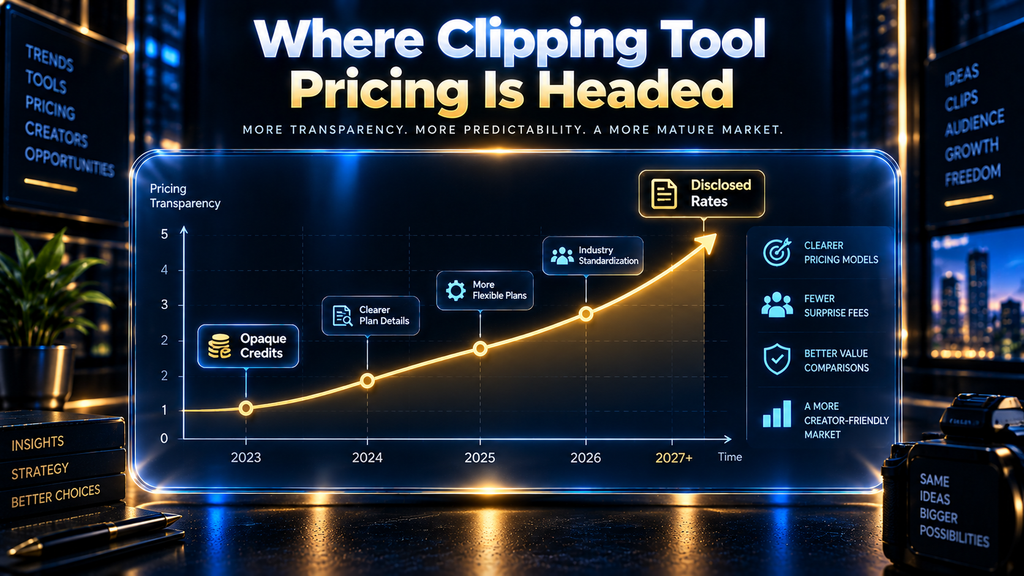
The current state of this category, where three of five major platforms cannot be honestly reduced to a comparable cost figure, is unlikely to be permanent. Buyers burned by an unexpectedly high renewal or an opaque credit system tend to talk about it publicly, and vendor pricing in adjacent software categories has historically become more transparent once enough comparison articles highlight the gap.
Submagic’s fully calculable pricing may currently be an outlier here, but it is a reasonable prediction that competitive pressure pushes more platforms toward its model of publishing every input a buyer needs, rather than toward CapCut’s regionally variable approach.
The second-order effect worth watching is what happens to feature bundling as pricing transparency increases. A platform that commits to a fixed, disclosed conversion rate, the way Vizard has for credits-to-minutes, may find it harder to bundle unpredictable features like AI dubbing into the same credit pool without also disclosing how those features affect the rate.
That is likely why OpusClip’s more feature-dense credit system remains less transparent than Vizard’s simpler one. Buyers should expect added capability and pricing clarity to keep trading off against each other in this category for the near term.
Final Thoughts
The honest conclusion from this research is not a ranked winner. Cost comparison in the AI clipping category is only as reliable as the pricing transparency each vendor chooses to provide, and that transparency is currently inconsistent enough that a buyer cannot fully price-shop three of the five major platforms from public information alone.
Submagic is the only platform where every input needed for a real per-minute figure is published without ambiguity. Vizard publishes a clear conversion rate attached to a price that does not render as a fixed number on its own live page. OpusClip, Klap, and CapCut each require a live account, a sales conversation, or accepting that the true cost will only be known after signing up.
That is a more useful takeaway than a false “best value” declaration. It tells a buyer exactly what to ask before paying: what does one credit convert to across every feature I plan to use, what happens to unused credits at renewal, and is the price on this page universal or dependent on my region, billing cycle, or a promotion that will not still be active when the bill renews.
A buyer who asks those three questions before subscribing will make a better decision than one who compares five headline prices side by side and assumes the columns mean the same thing.
Priced the Category? Now Compare Features
This article covered what OpusClip, Vizard, Klap, Submagic and CapCut cost. For a features-first look at three of the leading tools, read our OpusClip vs Descript vs Captions comparison.
Compare OpusClip, Descript and Captions →Frequently Asked Questions
Which AI clipping tool is the cheapest per minute of output?
There is no single honest answer across all five platforms, because three do not publish enough information to calculate a real cost-per-source-minute figure. Among the two where the math is possible, Submagic’s Starter plan works out to roughly $0.63 per finished minute at full utilization, though shorter clips raise that effective cost.
Vizard discloses a clear one-credit-to-one-minute ratio but does not display a fixed dollar price on its live pricing page as of this review.
Why do these tools price themselves so differently from each other?
Each platform is built around a different unit of customer value. Vizard and OpusClip think in terms of source-video minutes processed, Klap thinks in finished clips per month, and Submagic combines credits with a fixed per-video length cap.
CapCut’s own help documentation confirms its pricing depends on region, device, and active promotions rather than one global structure.
Is a credit-based pricing model better than a per-clip model?
Neither approach is inherently better; they suit different ways of thinking about a workflow. A credit system tied to source minutes, like Vizard’s, is easier to estimate against a known volume of recorded footage. A per-clip model like Klap’s is easier to budget against a fixed monthly content-output target.
Do free plans include watermarks on every export?
Both OpusClip and Vizard confirm visible watermarks on free-tier exports as of this review, removed only after upgrading. Submagic does not offer a free tier at all. CapCut’s free-tier watermark policy should be confirmed directly inside the app, since it was not part of the pricing documentation reviewed here.
What happens to unused credits at the end of a billing period?
This varies by platform and was not uniformly disclosed. Vizard’s help center notes that free-plan usage renews monthly, but the material reviewed did not confirm whether unused paid-tier credits roll over or expire at each vendor. Confirm this directly with each platform before assuming unused credits carry forward.
How often does pricing like this change, and should I trust these numbers next year?
Every figure here is dated to September 20, 2026, and should be reconfirmed directly on each vendor’s pricing page before purchasing. Credit allowances, plan names, and promotional discounts across this category have changed multiple times within a single year in the past.
Should a solo creator or a team weigh this comparison differently?
Yes. A solo creator’s monthly footage volume is usually small enough that a free tier’s limitations, the watermark and the three-day export window, are the real constraints to plan around.
A team processing many hours of footage each month should prioritize platforms where a real cost-per-minute figure exists, since unpredictable per-feature credit consumption becomes a genuine budgeting risk at scale.
Can I switch platforms mid-year if the pricing turns out to be worse than expected?
Nothing in the documentation reviewed for this article suggests a contractual lock-in beyond the billing cycle itself. The real switching cost is not contractual; it is the export retention window.
A buyer who has been auto-downloading exports before OpusClip’s or Vizard’s three-day expiry can leave at any renewal date without losing finished work. A buyer who has been letting exports sit unclaimed has effectively already lost the archive they would want to carry to a new platform, regardless of what the contract allows.
Does upgrading to a higher tier always lower the effective cost per minute?
Not automatically, and this is a documented finding rather than a general assumption. On Submagic, a higher tier raises the credit allowance but keeps the same two-minute-per-video cap, so the $0.63-per-minute ceiling calculated earlier does not improve with a bigger plan; it only allows more volume at the same rate.
On Klap, a higher tier changes the price-per-clip ratio (the Pro+ tier’s $94 for 1,000 clips prices out lower per clip than the Basic tier’s $14 for 100), so upgrading can lower effective cost there. The direction of that answer depends entirely on which unit a platform prices against, which is the same finding this entire comparison keeps returning to.
Why does this article single out Vizard’s “$0$0” placeholder instead of just quoting an estimated price?
Because quoting an estimate would misrepresent a page that, at the time of this review, displays no fixed number at all. An estimated figure borrowed from a cached page, a regional screenshot, or a competitor’s roundup would read as more useful than “price not available.”
It would not be accurate to what a reader clicking through to Vizard’s own site would actually see. AI Hustle World’s Citation Integrity Rule treats that kind of manufactured precision as a worse outcome than an honest gap, because a reader who budgets against a fabricated number discovers the error only after committing to a plan.
Related Guides
- Best AI Video Generators (Free & Paid): Top 10 Tools Compared
- Weav Pricing Explained: Cost Per Resolution vs Hiring Support Staff
- ElevenLabs Review 2026: Is It Worth It? Pricing, Features & Verdict
Written by
Muntasir Ahmad Chowdhury
Founder, AI Hustle World
Muntasir Ahmad Chowdhury is the Founder of AI Hustle World, an independent publication dedicated to making Artificial Intelligence practical, trustworthy, and easy to understand. He researches AI tools, automation, customer service, productivity, and real-world business applications, helping readers make smarter technology decisions through research-driven, experience-backed content.
Expertise:
AI Tools • AI Automation • AI Customer Service • AI Productivity • Generative AI • AI Workflows
Get Smarter With AI
Enjoyed this guide? Get practical AI tools, tutorials, and honest reviews delivered to your inbox.
1 thought on “AI Video Clipping Tools: Cost Per Minute (2026)”